

Your shopping cart is empty!
 Call us: +1-(437)-290-7537
6 Common Mistakes Businesses Make When Buying Networking Equipment
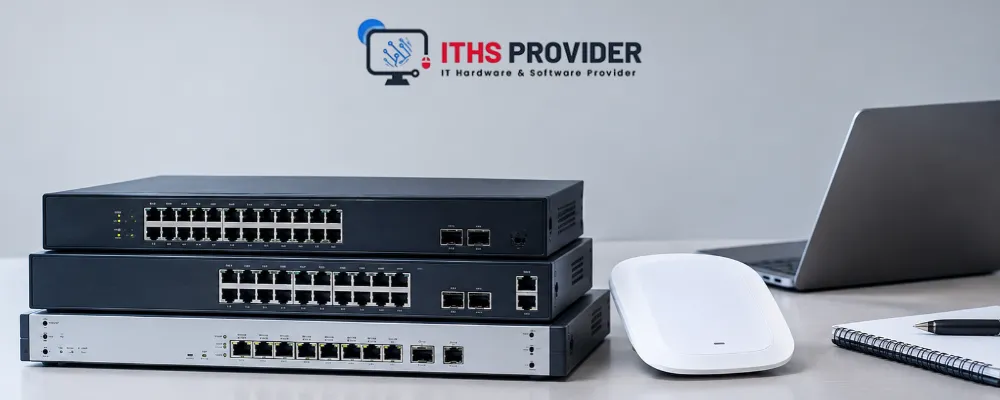
Many businesses buy networking equipment that looks right on paper and still lets them down within a year. It is rarely bad luck. It is usually one of a handful of buying mistakes that repeat across industries, team sizes, and budgets, and most of them are easy to avoid once you know what to look for.
This guide from ITHS Provider walks through the six most common mistakes buying networking equipment. It also explains the main types of networking equipment, so your next network infrastructure upgrade holds up as you grow.
Note: The business scenarios in this guide are composite examples based on common situations, not accounts of specific customers.
Table of Contents
The Main Types of Networking Equipment at a Glance
Routers connect your business to the internet and direct traffic between networks. Switches link your computers, phones, printers, and cameras inside the office and decide where each piece of data goes. Firewalls sit between your network and the outside world and block traffic you did not ask for. Access points extend that network wirelessly so laptops and mobile devices can connect without cables.
Each type does a different job, and a weak choice in any one of them can hold back the rest. The mistakes below show where businesses most often go wrong.
1. Focusing on Price and Ignoring the Real Networking Costs
The lowest quote is tempting, especially when you are buying in bulk. The sticker price rarely reflects the full networking costs of owning that equipment for the next three to five years.
Picture a 20-person accounting firm that picks the cheapest switches on the market to save a few hundred dollars upfront. Within two months they are paying a technician monthly just to keep the network stable, and one of those visits lands the week before a tax filing deadline. By the end of the year, the labor cost alone has erased the savings twice over.
Licensing renewals (including Cisco licenses), firmware support, power draw, and the labor needed to configure and maintain a device all add up. A cheaper switch that needs reconfiguration every few months can end up costing more in staff hours than a slightly pricier one that just works.
| Cost Factor | Sticker Price Only | Full Ownership Cost |
|---|---|---|
| Purchase price | Counted | Counted |
| Licensing and renewals | Not counted | Counted |
| Setup and configuration time | Not counted | Counted |
| Support and maintenance | Not counted | Counted |
| Downtime risk | Not counted | Counted |
This is close to what Gartner defines as total cost of ownership, a full picture of what a piece of equipment actually costs once it is running in your business, not just what it costs to buy.
2. Skipping a Real Network Infrastructure Upgrade Plan
Many businesses buy exactly what covers today's headcount and stop there. Imagine a marketing agency that lands a major client and doubles its team within four months. Its router, sized for a ten-person office, starts dropping video calls during client reviews, which is about the worst possible moment for a network hiccup.
A network infrastructure upgrade should be planned in stages, not treated as a one-time purchase. Before buying, it helps to ask how many users and devices the network needs to support two years from now, not just this quarter. If you already run Cisco hardware, our Cisco routers are a good place to compare models. Whichever model you choose, check its throughput and port capacity against your two-year headcount so you can buy one size ahead instead of replacing hardware every year.
Questions Worth Asking Before You Buy
- How many devices will realistically connect to this network in two years?
- What happens to performance if remote or hybrid staff doubles?
- Does the current setup leave room to add a second office or location?
3. Ignoring Compatibility Between Network Hardware Equipment
Not all network hardware equipment plays well together. Consider a logistics company that mixes switch brands across two warehouses to save time on a quick expansion. Its PoE security cameras stop drawing power reliably because the new switches handle power delivery differently than the older ones, and it takes a week of troubleshooting to find the mismatch.
Mixing brands or generations without checking compatibility is one of the fastest ways to end up with dropped connections, firmware conflicts, or ports that simply do not talk to each other.
Ports, Protocols, and Firmware Worth Checking
- Port types and speeds match across your switches, routers, and existing cabling
- Firmware versions are still supported by the manufacturer
- The device supports the protocols your current network already runs on
Our switches are organized by brand, and our team can send you the specifications for any model you are considering. If anything is unclear, ask before you order so a mismatch does not turn into a support ticket after installation.
4. Buying From Unverified Networking Equipment Suppliers
Not every listing selling networking equipment online is what it claims to be. Picture a business owner who buys a firewall marked as new from a marketplace seller, only to find out during a support call that the unit was already registered under someone else's warranty. The manufacturer will not honor a replacement, and he is left covering the repair himself.
Counterfeit units, grey market stock, and sellers with no real support line are common in this space, especially for popular brands. Before buying, it is worth confirming the supplier can show serial numbers, warranty terms, and a real support contact. You can also browse our networking equipment categories and ask us for these details before you order. It is exactly the kind of check worth doing with any networking equipment suppliers you are not already familiar with.
5. Overlooking Security When Choosing Computer Networking Equipment
Security is often an afterthought when teams are focused on speed and price. Imagine a small retail chain that picks a budget firewall with almost no logging capability. When a payment processor asks for access records during a routine review, there is nothing to show, and the business has to replace the firewall under time pressure instead of on its own schedule.
The computer networking equipment you choose sets the baseline for how well your business can detect and stop threats later. Frameworks like the NIST Cybersecurity Framework are a useful reference here, since they outline the kind of visibility and access control a business network should have built in from the start, not added on afterward.
Firewalls are the clearest example of this. Our firewalls are organized by brand, so you can compare models from a manufacturer you already trust. Whichever brand you pick, match the firewall's capacity and features to the size of your business so you are not paying for enterprise-grade features you do not need or underbuying protection you do. For related products beyond firewalls, our network security category is also worth a look.
6. Forgetting About Vendor Support and Warranty Coverage
A good deal can fall apart quickly if vendor support disappears right when something goes wrong. Consider an IT manager who learns that his firewall vendor had quietly stopped shipping firmware updates two years earlier. No one noticed until a known vulnerability hit the headlines and no patch was coming. The business has to replace the hardware on an emergency timeline instead of a planned one.
Vendor support and warranty coverage are rarely asked about at the point of sale. They become more important than almost anything once the equipment is running.
Questions to Ask About Support
- How long will the manufacturer keep shipping firmware and security updates?
- What does the warranty actually cover, including replacement timelines?
- Does the seller offer direct vendor support, or hand you off to the manufacturer?
If you run Cisco hardware, Cisco SMARTnet is worth a look. It is a support contract that can include technical support, software updates, and hardware replacement, depending on the coverage level you choose.
Final Thoughts
Most networking regrets trace back to the same few decisions: buying on price alone, planning only for today, mixing incompatible gear, trusting unverified sellers, treating security as optional, and skipping support. Checking each one before you order costs far less than fixing it afterward.
Frequently Asked Questions



Information
Customer Service
My Account
©2026 ITHS Provider (A Project of Mehta Corp.) - All Rights Reserved.
